
The Chatstack Windows 10 App is now available in the Windows Store. This Chatstack application is an entirely new app that is designed to replace our legacy Windows desktop app. The app is now available for download within the Windows Store for Windows 10 devices. If you are not running the latest Windows 10 release then we suggest you keep using the legacy Windows desktop app.
Some of the features within the new Windows app are outlined below.
Moving forward our Windows development will be focussed on the Windows 10 app with the eventual phasing out and sunsetting of the older legacy Windows desktop application. Please try the new app and provide us with any feedback or suggestions. The app can be installed along side the legacy Windows desktop app.

You can easily have your entire team install the Chatstack Windows app from the Windows Store. In addition to this updates to the app will be automatically delivered to you through the Windows Store. You can click the badge below to get started.

Within the Chatstack 5.7 release we have been focussing on bug fixes, future development roadmap changes and improving performance of the server software to ensure the chat widget loads quickly and offers the best experience for visitors on your site. These speed and performance improvements are something we are constantly working on. The Chatstack v5.7 release will be available for download in the customer area today.

Within Chatstack v5.7 we have implemented some changes to the client side JS to ensure Chatstack loads quicker and more efficiently. The Chatstack client side JavaScript has been reduced down to just under 60 kilobytes (KB) when gzipped, an improvement of over 40% less! We plan on reducing this further when we complete further core changes to the client side JavaScript code.
From Chatstack v5.7 we are introducing Docker and Docker Compose support if you’d like to containerize the Chatstack app installation. This will initially be available to customers running the Chatstack Enterprise license as we feel that these customers will make use of this feature the most (this may change in the future with Business customers eventually getting support for this as well – stay tuned for details on that).

Dockerizing Chatstack allows us to specify the exact server configuration stack that Chatstack runs with and makes deploying Chatstack easy for you. Other benefits that Docker provides is version control, security, portability, isolation and security. With the Chatstack server stack we’ve opted for nginx, php-fpm and MySQL within the default Docker Compose configuration file.
Chatstack v5.6 is now available in the customer area if you would like to update the server software on your web site. This update includes various stability improvements and minor bug fixes.
This update features new modern chat widget layouts for your web site which you can select within the Settings > Appearance section of the web app at /livehelp/admin/index.php.

These new layouts are mobile optimised and additionally include improved icons for HiDPI (High Dots Per Inch) displays used on mobile devices or Apple Retina displays. You can select a Tab, Docked or Floating chat layout design for your web site. In addition to this you are able to select from some pre-defined color themes to help match the chat design to your web site.

We’ve improved the offline messaging widget so the design is cohesive with the live chat widget design. The offline widget is now also responsive and works great on iPhone and Android mobile devices.
Offline email messages are sent directly to your support email address (this can also be configured to your ticketing support email address) where you can reply to customer questions when your support team isn’t available to chat.

We’ve made improvements to the Chatstack HTML code and how the chat widget is embedded into your web pages. This should help reduce JavaScript (JS) conflicts and any potential CSS conflicts that may cause problems with how Chatstack behaves on your web site. We recommend that all customers update the Chatstack HTML code that is inserted on your web pages and site templates.

Today, great customer service is essential for the success of your business. Building a brand that serves customers wholeheartedly and that is genuine, personal and compassionate will create a memorable customer experience.
We’ve compiled a list of customer service quotes from some of the most influential entrepreneurs and business people. A stronger focus on customer service will inspire and motivate you, your team and your business, to keep your customers a priority and inspire loyalty to your brand.
Mark Zuckerberg is the CEO and co-founder of social networking giant, Facebook. Through social engagement and participating within the online community of users, he has built the brand into the most popular social networking site in the world with over 1.65 billion monthly active users, as of April 2016.

Engage with your customers and build strong emotional connections with your customers. This will allow you to better understand their needs and increase consumer loyalty.
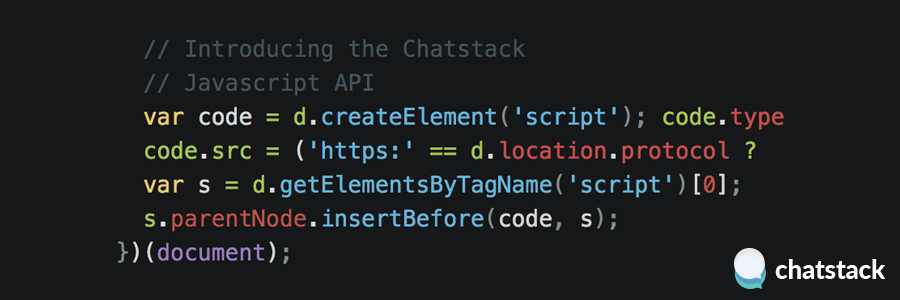
We’re excited to announce the release of our Chatstack Javascript API. Detailed documentation is available at https://www.chatstack.com/api/ along with several Javascript code samples.
To use the Javascript API please ensure you have installed the latest build available and your live chat HTML code is updated. The Chatstack Javascript API will constantly evolve as we release new updates to our live chat software.
Using the API, you can monitor events such as when the live chat status mode changes e.g. from online to offline. Additionally, you can also detect when a chat is accepted by a team member and also when the initiate chat status changes. These events could be used to dynamically change parts of your website or even track events within Google Analytics. For example, you could track an event in Google Analytics when a customer’s chat is accepted by your team.


Join our mailing list to receive the tips, advice and news from our team.